Upgrade Your Computer Setup with a Wireless Mouse
A comfortable computer setup can make everyday work, browsing, and entertainment more convenient. If you want to reduce cable clutter and add a modern touch to your desk, a rechargeable wireless mouse may be worth considering.
This wireless mouse advertises Bluetooth and 2.4GHz connectivity, quiet clicking, an ergonomic design, RGB backlighting, and 1600 DPI sensitivity. These features make it an option to explore for students, home users, office workers, and people building a stylish PC setup.
But are these features enough to make it the right choice? Let's look at its advertised specifications, potential benefits, and what you should check before buying.
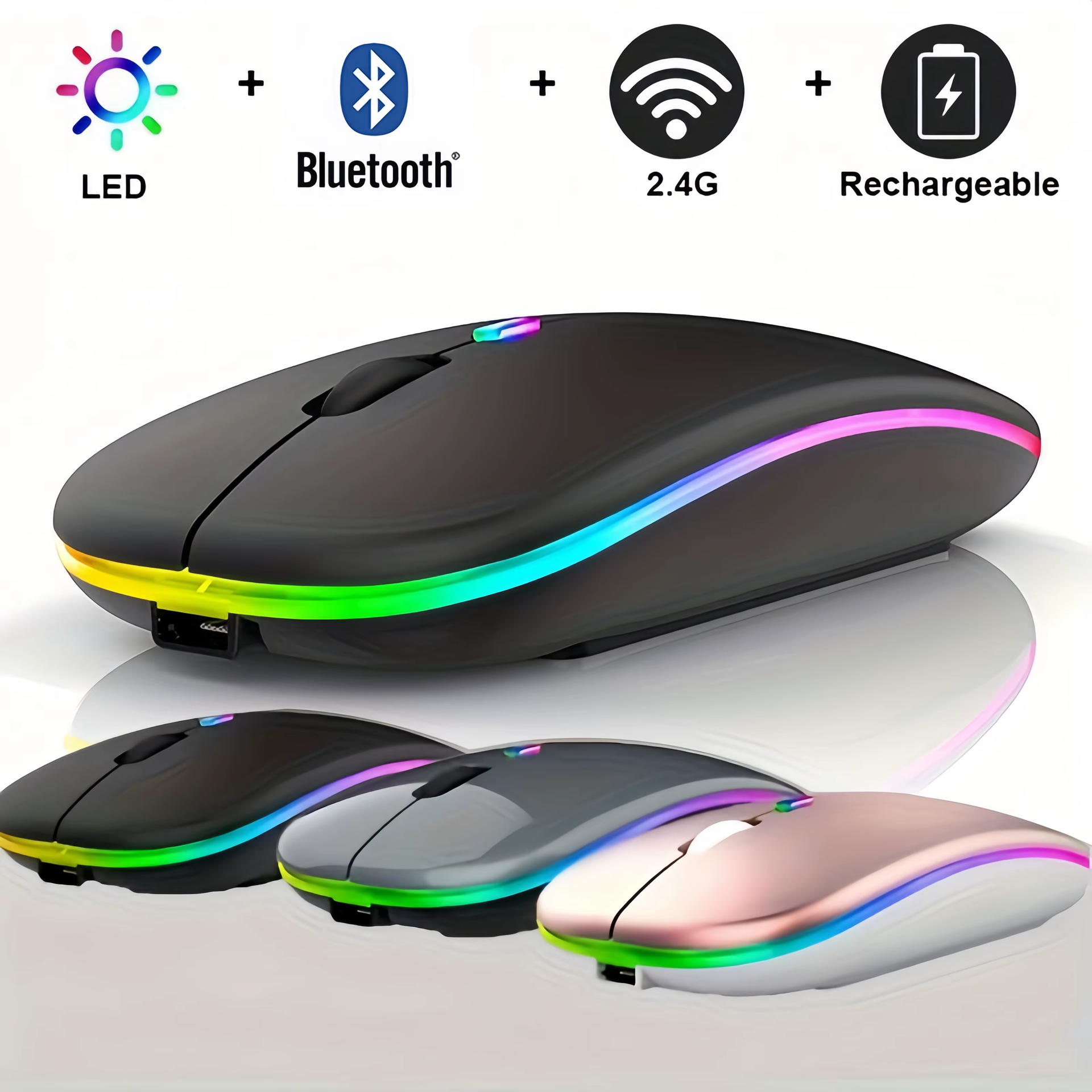
Key Features of This Wireless Mouse
- Wireless connectivity: Advertised Bluetooth and 2.4GHz options.
- Rechargeable design: Intended to be recharged rather than relying exclusively on disposable batteries.
- Quiet clicking: Designed for a quieter clicking experience.
- Ergonomic shape: Intended to provide comfortable handling.
- 1600 DPI sensitivity: Advertised cursor sensitivity.
- RGB backlighting: Adds a colourful visual element to your desk setup.
Product specifications and included accessories should be confirmed on the seller's listing before purchase.
1. Wireless Connectivity for Everyday Convenience
A wireless mouse can help keep your desk organised by reducing cable clutter. It can be useful for browsing websites, working on documents, attending online meetings, and navigating your computer.
This model advertises Bluetooth and 2.4GHz wireless connectivity. Bluetooth generally connects to compatible devices without a dedicated USB receiver, while 2.4GHz wireless mice commonly use a USB receiver.
Check the exact listing to confirm which connection modes this particular model supports and whether the required receiver is included.
2. Rechargeable Design
A rechargeable wireless mouse can offer convenience by reducing dependence on disposable batteries.
Before ordering, check the charging port, charging cable availability, and any manufacturer-provided battery specifications. Actual battery life can vary depending on usage and lighting settings, so avoid relying on unverified battery-life claims.
3. Quiet Clicks for Work and Study
Mouse clicking can be distracting in quiet rooms or shared workspaces. This product advertises quiet-click functionality, which may appeal to students and people who use their computers regularly.
However, the actual noise level depends on the button mechanism and product construction. Check customer reviews or demonstrations if quiet operation is particularly important to you.
4. Ergonomic Design
An ergonomic mouse is intended to provide a comfortable grip during normal computer use. This model advertises an ergonomic shape that may suit everyday browsing, office tasks, and home computing.
Comfort varies from person to person. Check the mouse dimensions and product photographs to determine whether its shape is suitable for your hand size and preferred grip.
5. Advertised 1600 DPI Sensitivity
DPI stands for dots per inch and is commonly used to describe mouse sensitivity. Higher sensitivity generally allows the cursor to move farther across the screen with less physical mouse movement.
The advertised 1600 DPI setting may be useful for everyday navigation, browsing, and office productivity. However, DPI alone does not determine mouse quality or gaming performance. Sensor accuracy, tracking consistency, and personal preference also matter.
Check the seller's specifications to establish whether 1600 DPI is the maximum sensitivity or whether other settings are available.
6. RGB Backlighting for a Modern Desk Setup
RGB backlighting can give a computer mouse a distinctive appearance, particularly when paired with a gaming desk or illuminated computer accessories.
Lighting is mainly an aesthetic feature and does not automatically improve performance. If battery efficiency matters to you, check whether the lighting can be switched off or adjusted.
Who Should Consider This Mouse?
This wireless mouse may be worth considering for:
- Students: Everyday computer use, assignments, and research.
- Office workers: General productivity and document navigation.
- Laptop users: An alternative to a built-in touchpad.
- Home users: Browsing, communication, and everyday tasks.
- PC setup enthusiasts: Users who appreciate RGB lighting and a wireless desk setup.
For competitive gaming, check additional specifications such as sensor performance, polling rate, and response time. These details are not established by the advertised 1600 DPI specification alone.
What to Check Before Buying
Before placing an order, review these important points:
- Connectivity: Confirm Bluetooth and 2.4GHz support.
- USB receiver: Check whether one is included and whether your device supports it.
- Compatibility: Review the seller's confirmed device and operating-system requirements.
- Charging: Check the charging port and included accessories.
- Comfort: Review the dimensions and shape.
- Sensitivity: Confirm the available DPI settings.
- Customer reviews: Read recent feedback about build quality and actual performance.
- Price and returns: Review the current price, shipping details, and return policy.
These checks can help you make a more informed purchase rather than choosing a mouse based only on its promotional images.
Frequently Asked Questions
Is this a Bluetooth wireless mouse?
The product advertises Bluetooth and 2.4GHz connectivity. Confirm the exact supported modes on the seller's page.
Is the mouse rechargeable?
It is advertised as rechargeable. Check the product listing for charging details and included accessories.
Is 1600 DPI suitable for everyday use?
It can be suitable for routine computer activities, depending on your preferences and the mouse's actual tracking performance.
Does RGB lighting improve performance?
RGB lighting is primarily decorative. It does not, by itself, establish better tracking or gaming performance.
Is it suitable for gaming?
It may suit casual gaming, depending on its actual performance. Competitive gaming suitability cannot be confirmed without more detailed specifications and reliable testing.
Final Verdict
A rechargeable wireless mouse with advertised Bluetooth and 2.4GHz connectivity, quiet clicks, an ergonomic shape, RGB backlighting, and 1600 DPI sensitivity combines several features that may appeal to everyday computer users.
Whether it offers good value depends on its current price, build quality, comfort, compatibility, and real-world performance. Compare the specifications and customer feedback before making your decision.
Check the Latest Price on AliExpress
Interested in this wireless mouse? Visit the product listing to review the current price, available options, shipping information, and full specifications.
View Wireless Mouse on AliExpress
Affiliate Disclosure: This article contains an affiliate link. FuturezTech may earn a commission from qualifying purchases at no additional cost to you.